|
|
|
 |
 |
 |
 |
| • |
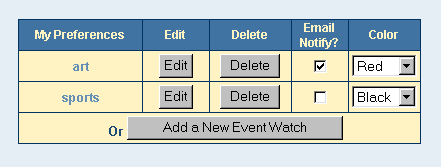
A listing of your saved searches, or “Event Watches” will appear. You can choose to Edit, Delete or change the display color of your existing Event Watches. To be notified of new events that fall into your Event Watch criteria, check the “E-mail Notify” box next to the appropriate Event Watch.
|
|
 |
 |
 |
 |
|